
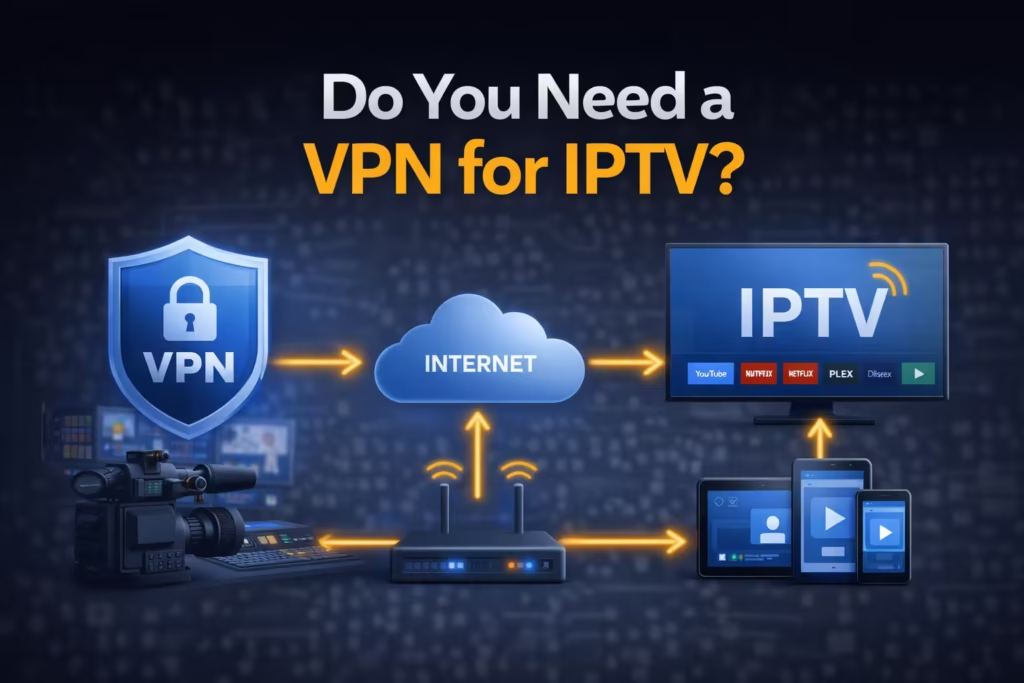
Many IPTV users are told they must use a VPN, while others say it is unnecessary. This creates confusion, especially for beginners who are unsure what actually improves streaming and what does not. A VPN is often presented as a solution for buffering, privacy, and access issues, but its role is not always clear. The reality is more balanced. This guide explains what a VPN does, when it helps, and when it does not make a difference. By the end, you will have a clear understanding of whether you need one based on your own setup and usage.
What Does a VPN Actually Do?
A VPN, or Virtual Private Network, changes how your internet connection is handled before it reaches the destination server. First, it encrypts your internet traffic, which means the data sent between your device and the internet is protected from being easily read by third parties. This is especially useful when using shared or public networks. Second, a VPN hides your real IP address by replacing it with the IP of the VPN server. This makes your online activity appear as if it is coming from a different location.
Finally, a VPN routes your connection through an external server before reaching the IPTV source. This additional step can change how your traffic is handled by your internet provider. While this can improve privacy, it also introduces extra distance in the connection path. This is why a VPN can sometimes help stability, but in other cases, it may slow things down depending on server quality and location.
Do You Really Need a VPN for IPTV?
The short answer is that a VPN is not always required for IPTV. Whether you need one depends on your situation rather than a single rule that applies to everyone. Some users run IPTV smoothly without any VPN, especially when they have a stable internet connection, a capable device, and a reliable service provider. In these cases, adding a VPN may not provide noticeable benefits.
However, there are situations where a VPN can be useful. If you are concerned about privacy, using public networks, or experiencing inconsistent connection behavior, a VPN can help improve your setup. The key point is that a VPN is a tool, not a requirement. It should be used based on specific needs rather than as a default setting for every IPTV user.
When You SHOULD Use a VPN for IPTV
There are certain situations where using a VPN can improve your overall experience or provide added security. One of the main reasons is privacy. A VPN encrypts your connection, which makes it harder for others on the network to monitor your activity. This is particularly useful if you value keeping your viewing habits private.
Another scenario is when using public Wi-Fi networks, such as in hotels, airports, or cafes. These networks are often less secure, and a VPN adds a layer of protection against potential risks. A VPN may also help in cases where network traffic is managed or limited during peak usage times. By routing your connection differently, it can sometimes provide a more stable path to the streaming server. However, results vary depending on the VPN service and server quality.
When You DON’T Need a VPN
A VPN is not necessary in many common IPTV setups. If you are using a stable home internet connection with consistent speed and low latency, your streaming performance may already be optimal. In this case, adding a VPN could introduce extra delay instead of improving the experience.
If your IPTV provider delivers well-optimized streams with stable encoding and reliable servers, there is less need for additional routing through a VPN. A good combination of device performance, proper player settings, and network stability often provides smooth playback without extra tools. For users with a strong setup, a VPN becomes optional rather than essential.
Does a VPN Improve IPTV Streaming?
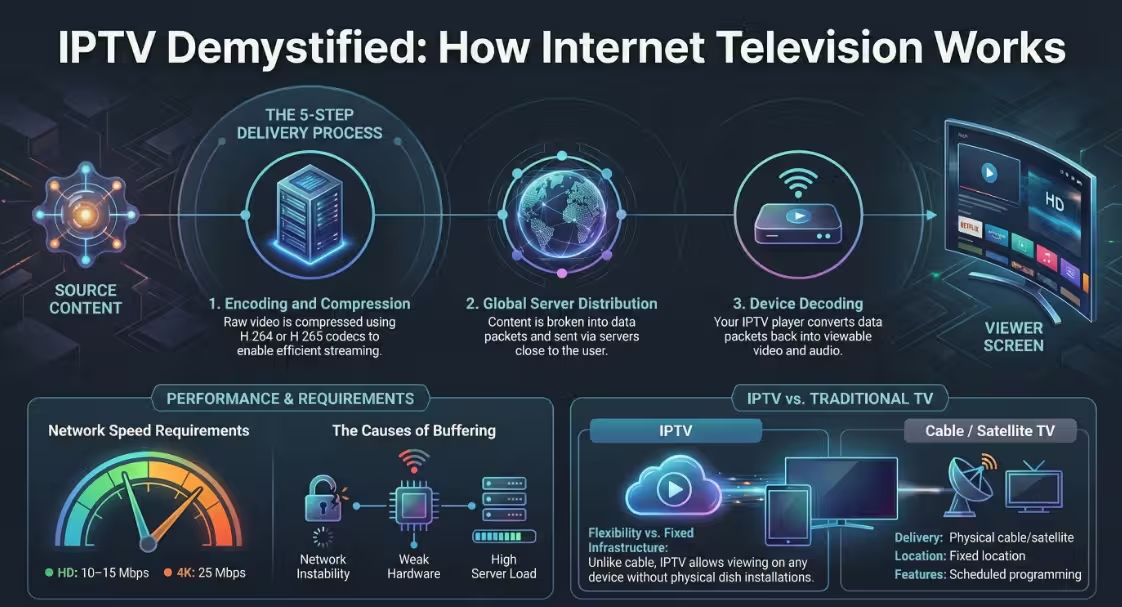
A VPN can improve streaming in certain cases, but it is not a guaranteed solution. If your connection is being affected by network congestion or inconsistent routing, a VPN may provide a more stable path to the server, which can reduce interruptions. This is why some users notice fewer buffering issues after enabling a VPN.
However, a VPN can also have the opposite effect. Because it routes your connection through an additional server, it increases the distance your data travels. This can introduce higher latency, which may slow down channel switching or cause delays in playback. The impact depends on the quality of the VPN service and how close the server is to your location. If performance drops after enabling a VPN, basic IPTV Troubleshooting steps such as switching servers or testing without the VPN can help identify the cause. In simple terms, a VPN can either help or reduce performance depending on how it is used.
Common VPN Myths About IPTV
There are several common misunderstandings about VPN usage in IPTV setups. One of the most widespread myths is that a VPN completely stops buffering. In reality, buffering is often caused by device limitations, encoding quality, or server performance, which a VPN does not fix. Another misconception is that using a VPN makes IPTV usage automatically legal. This is not true, as legality depends on the content source rather than how the connection is routed.
Some users also believe that a VPN always improves internet speed. In practice, a VPN often reduces speed slightly due to encryption and rerouting. While it may stabilize certain connections, it does not increase your base internet performance. Understanding these points helps avoid unrealistic expectations and ensures that a VPN is used for the right reasons.
Is IPTV Legal Without a VPN?
IPTV itself is a legal technology that delivers television content over the internet. Many legitimate platforms use IPTV to provide licensed content to users. The presence or absence of a VPN does not determine legality. What matters is whether the content being accessed is properly authorized.
Regulatory bodies such as the Federal Communications Commission and the European Commission make it clear that accessing copyrighted content without permission may violate laws. This applies regardless of whether a VPN is used. A VPN does not change the legal status of the content; it only affects how your connection is routed. Users should always ensure they are using services that comply with local regulations.
Risks of Using IPTV Without a VPN
Using IPTV without a VPN does not automatically create problems, but there are a few considerations to be aware of. One of the main concerns is privacy exposure. When you connect directly to the internet, your activity passes through your internet service provider, which can see general traffic patterns such as streaming usage. This does not mean your content is being actively inspected in detail, but it does mean your connection is not private in the same way it would be with encryption.
Another factor is network monitoring and traffic management. Internet providers sometimes manage network performance during peak hours to maintain overall stability for all users. In certain situations, this can affect high-bandwidth activities like streaming. Without a VPN, your connection follows the default route set by your provider, which may not always be the most stable path. While this does not impact every user, it explains why some people notice differences in performance depending on their network conditions.
How to Use a VPN with IPTV (Basic Guide)
Setting up a VPN for IPTV is straightforward and does not require advanced technical knowledge. The first step is to choose a reliable VPN provider that offers stable servers and good connection speeds. Once selected, install the VPN application on your device, whether it is a streaming box, smartphone, or computer.
After installation, open the app and connect to a server location that is close to your region for better performance. Once the connection is active, launch your IPTV player as usual. The player will now stream content through the VPN connection. It is important to test different servers if performance is inconsistent, as server load and distance can affect speed. Keeping the setup simple and using nearby servers usually provides the best balance between privacy and performance.
Should You Use a VPN with Our IPTV Service?
For our IPTV service, a VPN is not required for normal usage. The streams are optimized to work smoothly on standard connections without additional routing. Most users experience stable playback using a direct connection, provided their device and internet setup meet basic requirements.
That said, using a VPN remains an optional choice for users who prefer added privacy, especially when connecting through shared or public networks. It can also be useful in situations where network conditions vary. The key point is that the service is designed to perform well without needing extra tools, but users still have the flexibility to use a VPN if it suits their preferences.
FAQs
Can my ISP see IPTV usage?
Your ISP can detect general traffic patterns, such as streaming activity, but it does not typically display detailed content information. A VPN adds encryption, which limits visibility of this activity.
Does a VPN stop buffering?
No, a VPN does not directly fix buffering. Buffering is usually caused by device limitations, server performance, or network instability. In some cases, a VPN may improve stability, but it is not a guaranteed solution.
What is the best VPN for IPTV?
The best VPN depends on factors such as speed, server availability, and reliability. Look for providers with strong performance, low latency, and servers close to your location.
Is a VPN required for IPTV?
No, a VPN is not required. Many users stream IPTV without one. It is mainly used for privacy or specific network situations rather than as a basic requirement.
Final Decision: Is a VPN Necessary for IPTV?
A VPN is not essential for IPTV, but it can be useful in certain situations. If your connection is stable and your setup is well-configured, you can stream without it and still get good performance. For users who value privacy or want an extra layer of protection on public networks, a VPN is a helpful addition.
The decision comes down to your individual needs. A VPN is a tool, not a necessity. Understanding when it helps and when it does not allows you to use IPTV more effectively without relying on unnecessary solutions. If you are unsure about your setup, the best approach is to get free IPTV trial access and test how your connection performs with and without a VPN before making any decisions.